How to Create an OKX Wallet (App, Extension or Social Login)
Published November 9, 2026 · okxapk
Self-custody wallet for 140+ networks, with a built-in DEX. Joining through our invite link gives a trading-fee discount on OKX DEX swaps.
Open OKX WalletReferral link: we may earn a share of DEX fees at no extra cost to you.
To create an OKX Wallet, install the OKX Wallet app or browser extension from web3.okx.com, tap Create wallet, set a wallet password, then back up the wallet (write down the seed phrase or use cloud backup). You can also sign in with Google, Apple or email and the wallet is created automatically, with no seed phrase to write down. No exchange account or KYC is needed. OKX only shows your address after the backup is done.
| Seed phrase wallet | Social login | Keyless (MPC) wallet | |
| How you get in | 12-word seed phrase + device password | Google, Apple or email account | Key split into 3 shares; 2 sign |
| What you back up | The seed phrase (paper, offline) | Nothing to write down; protect the social account | Cloud share on iCloud or Google Drive |
| If you lose your phone | Import the seed phrase on a new device | Sign in with the same account | Restore from the cloud backup |
| Best for | Full control, works in other wallets | Beginners | Users who do not want to store a seed phrase |
OKX says the app will not show your wallet address or let you receive tokens until the backup is finished. That is on purpose: a wallet with no backup is one lost phone away from being gone.
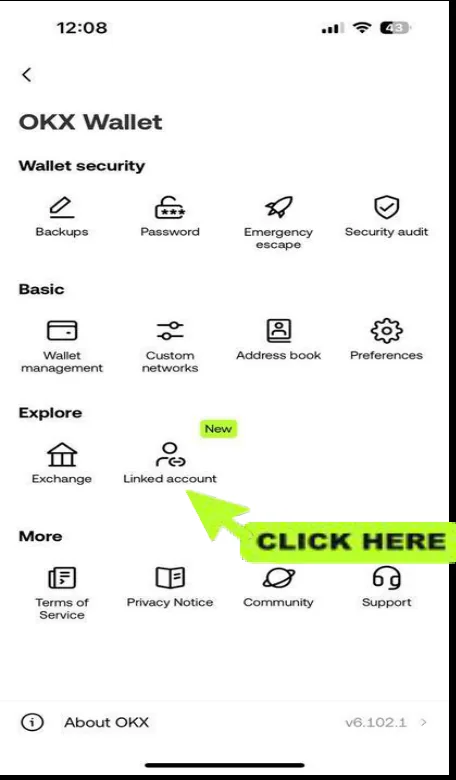
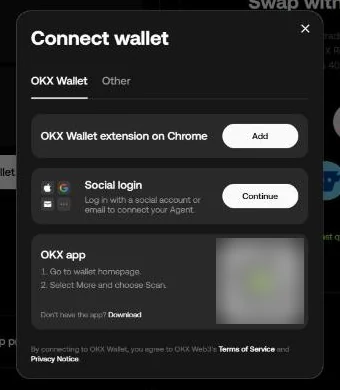
To use the wallet on the OKX Web3 website, go to web3.okx.com and choose Connect wallet. You can also connect the mobile app by opening Menu, tapping the scan icon and scanning the QR code on the website.
If the imported wallet shows a different account than you expected, OKX lists three reasons: you used a different seed phrase, the account you want is a derived account (add more accounts in that wallet), or the seed phrase was created in another wallet app.
Ready to set one up? You can start with our OKX Wallet referral link (we may earn a commission; any DEX fee discount depends on the code and is shown before you bind it).
No. OKX Wallet is self-custody and works without an exchange account or KYC. You only need an exchange account if you want to link the wallet to it.
Yes. Creating and holding are free. You pay network gas fees when you send or swap, plus any DEX service fee shown before you confirm.
OKX hides the address and blocks receiving until you finish the backup. Complete the cloud or manual backup first.
OKX offers a guest mode on its website that shows a sample wallet with transaction history, balances, approvals and NFTs. To use real funds you need your own wallet.
Self-custody wallet for 140+ networks, with a built-in DEX. Joining through our invite link gives a trading-fee discount on OKX DEX swaps.
Open OKX WalletReferral link: we may earn a share of DEX fees at no extra cost to you.