What Is OKX Web3? Wallet, DEX and How It Works
Published November 3, 2026 · okxapk
Self-custody wallet for 140+ networks, with a built-in DEX. Joining through our invite link gives a trading-fee discount on OKX DEX swaps.
Open OKX WalletReferral link: we may earn a share of DEX fees at no extra cost to you.
OKX Web3 is OKX's self-custody crypto platform, built around OKX Wallet (also called the OKX Web3 Wallet) and OKX DEX. Unlike the OKX exchange, where OKX holds your coins, OKX Web3 gives you a wallet whose keys only you control. From it you can hold tokens on 130+ blockchains, swap through OKX DEX, which aggregates 500+ decentralized exchanges, and connect to DeFi, NFT and other blockchain apps. It is available as a phone app and as a browser extension.
The two products share a brand but work very differently:
| OKX exchange | OKX Web3 (OKX Wallet) | |
| Who holds the keys | OKX (custodial) | You (self-custody) |
| Account | Email or phone, identity verification | No account needed; a seed phrase or social login |
| Trading | Order book run by OKX | On-chain swaps through OKX DEX |
| If you lose access | Account recovery through OKX | Nobody can recover a lost seed phrase |
OKX notes in its help center that OKX Web3 Wallet is a self-custody wallet software service, is not offered by OKX Exchange, and is subject to the OKX Web3 Ecosystem Terms of Service. Not all products are offered in all regions.
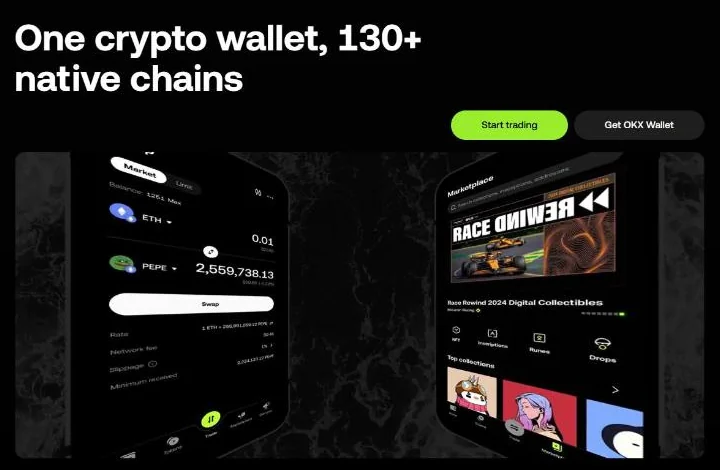
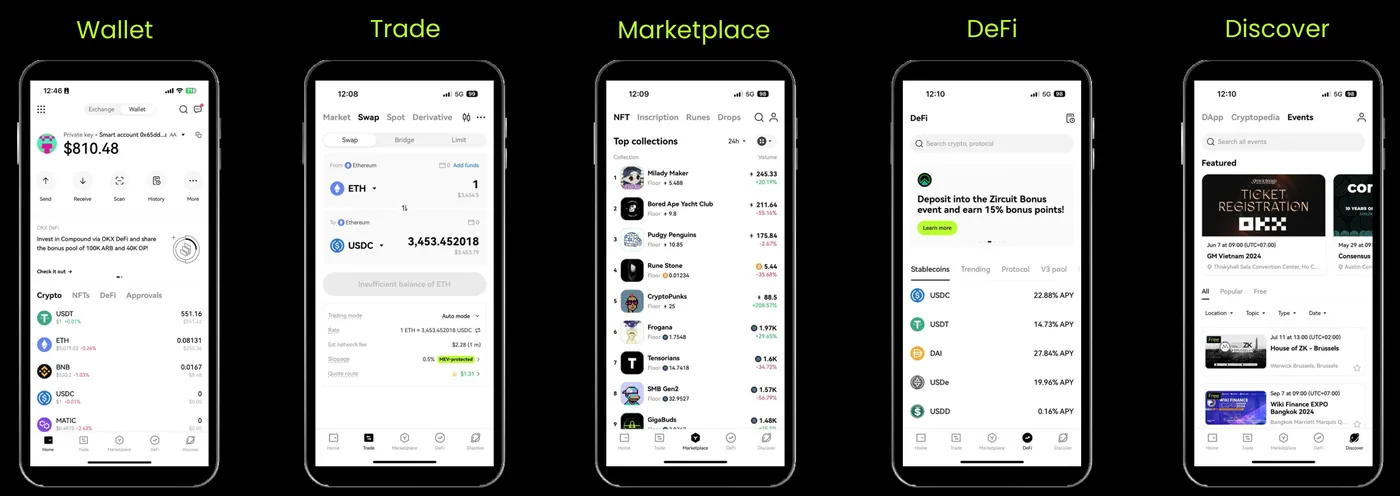
You can use OKX Web3 in three places:
Holding and receiving crypto is free in the wallet itself. When you swap, the OKX DEX service fee is shown on the confirmation screen and can be zero for some tokens; you also pay the network's gas fee. Through OKX's DEX referral program, an invite code can give a 0–10% trading fee discount, set by whoever created the code.
If you want to try OKX Web3, you can open it through our OKX Wallet referral link (we may earn a commission; any DEX fee discount depends on the code and is shown before you bind it).
No. OKX Web3 is the self-custody wallet and DEX side of OKX; the OKX exchange is a custodial account. OKX says OKX Web3 Wallet is not offered by OKX Exchange and has its own terms.
Creating and holding a wallet is free. Swaps can carry an OKX DEX service fee, shown before you confirm, plus network gas.
OKX says the entry depends on your region, verification and app version, and may have moved to Services → OKX Wallet. Update the app, or use the standalone OKX Wallet app if prompted.
No KYC is needed to create the self-custody wallet. Connecting it to an OKX exchange account requires a verified exchange account.
Self-custody wallet for 140+ networks, with a built-in DEX. Joining through our invite link gives a trading-fee discount on OKX DEX swaps.
Open OKX WalletReferral link: we may earn a share of DEX fees at no extra cost to you.