OKX Bridge: How to Swap Tokens Across Chains in OKX Wallet
Published October 30, 2026 · okxapk
Self-custody wallet for 140+ networks, with a built-in DEX. Joining through our invite link gives a trading-fee discount on OKX DEX swaps.
Open OKX WalletReferral link: we may earn a share of DEX fees at no extra cost to you.
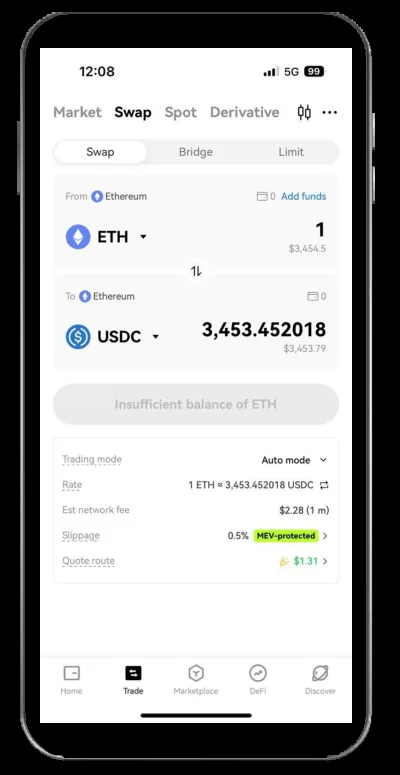
OKX Bridge is the cross-chain mode of OKX DEX inside OKX Wallet: you pick the token you send and the chain it is on, pick the token you want and the destination chain, and OKX picks a route through one of the bridges it connects to. You confirm once in your wallet, pay the network fee on the source chain, and the tokens arrive on the other chain after the estimated time shown before you confirm.
OKX DEX is an aggregator. According to OKX's DEX user guide (updated October 2026), it pulls liquidity from 30+ blockchains, 25+ cross-chain bridges and 400+ DEXs. In Bridge mode you choose the source and destination networks and the system picks a route automatically.
OKX's Bridge help page (updated August 2026) says it suggests the best available route based on speed and cost. It also says OKX screens for fake tokens and unfavorable prices, and helps limit MEV attacks. You pay network fees, and the amount you will receive is shown on the route before you confirm.
If the token is already on the right network, you do not need a bridge. A normal swap on OKX DEX is simpler.
| Check | Why |
|---|---|
| Gas on the source chain | You pay the network fee in the source chain's native coin (ETH on Ethereum, SOL on Solana). OKX says Solana wallets should keep at least 0.01 SOL for rent and fees. |
| Gas on the destination chain | To move or swap the tokens once they arrive, you need that chain's native coin too. Plan for it before you bridge. |
| Approval amount | The first bridge of a token needs an approval. Choosing Unlimited saves future approvals, but OKX warns it gives the contract ongoing permission. Use it only with trusted protocols and revoke unused approvals. Native coins do not need approval. |
| The route and amount received | Compare routes on what you actually receive and the estimated time, not just the headline price. |
If your funds are on the OKX exchange, you often do not need a bridge at all. Withdraw straight to OKX Wallet on the network you want. See OKX exchange to Web3 wallet. A bridge is for tokens that are already in your wallet on the wrong chain.
Bridging runs through OKX DEX. Joining OKX Wallet through an invite link can give a 0–10% discount on DEX trading fees, depending on the code. Our OKX Wallet invite link is a referral link: we may earn part of the fee at no extra cost to you.
OKX's DEX user guide (October 2026) says OKX DEX aggregates 30+ blockchains and 25+ cross-chain bridges. Its older Bridge help page says 20+ chains. Check the chain list in the app for the current set.
It depends on the route and the networks. The estimated processing time is shown in the Est time field before you confirm.
No. OKX says network fees are paid to validators whether a transaction succeeds or fails, and the wallet cannot refund them.
Only the first time for each token, unless you approved a limited amount. Choosing Unlimited avoids repeat approvals but keeps the permission open until you revoke it.
Only if the tokens arrived in a wallet you control, such as your own OKX Wallet. Then you can bridge them to the right network. If they went to an exchange address on an unsupported network, contact that exchange with the transaction hash.
Self-custody wallet for 140+ networks, with a built-in DEX. Joining through our invite link gives a trading-fee discount on OKX DEX swaps.
Open OKX WalletReferral link: we may earn a share of DEX fees at no extra cost to you.