Is OKX Wallet Safe? Security Features and Real Risks
Published October 28, 2026 · okxapk
Self-custody wallet for 140+ networks, with a built-in DEX. Joining through our invite link gives a trading-fee discount on OKX DEX swaps.
Open OKX WalletReferral link: we may earn a share of DEX fees at no extra cost to you.
OKX Wallet is a self-custody wallet: OKX states that it does not hold your funds or private keys, and it adds protections such as phishing detection, risk warnings and device-bound signing. That makes it reasonably safe to use, but no wallet can protect you from a leaked seed phrase, a malicious approval you sign, or a fake copy of the app. Most losses come from those, not from the wallet software.
| Wallet type | Where the keys are | Your main risk |
|---|---|---|
| Seed phrase wallet | Only you hold the seed phrase | Losing it or someone seeing it |
| Social login (Google, Apple, email) | In a trusted execution environment (TEE); OKX says it cannot read them in plain text | Losing or having the social account suspended |
| Trader Mode (optional) | Encrypted in a TEE for automatic DEX order signing, for 7, 15 or 30 days | Settings on automated orders; code not yet open source |
Want to try it? You can create OKX Wallet through our OKX Wallet invite link (referral link), which gives a 0–10% DEX trading fee discount depending on the code.
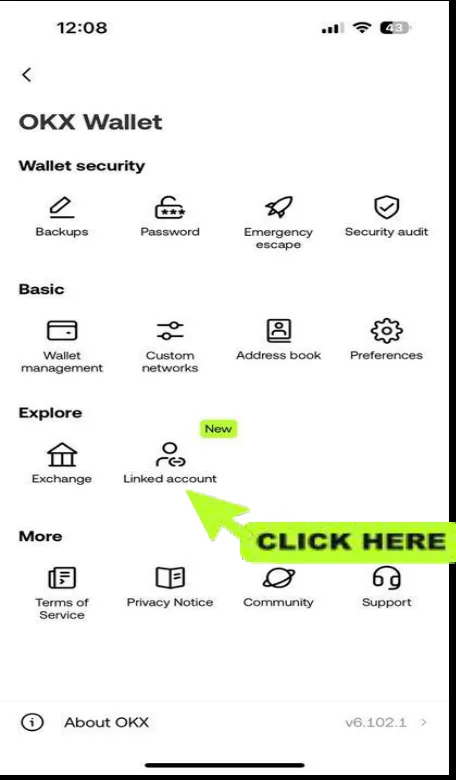
OKX states that it does not custody users' funds or private keys. For seed phrase wallets, only you hold the phrase.
It changes the risk: you don't have to protect a seed phrase, but access depends on your social account, so secure that account with two-factor authentication.
OKX says a security audit was completed and that the report and code will be published later; the code is not open source yet.
Your seed phrase or a malicious signature. Most losses come from phishing and approvals, not from the wallet app itself.
Self-custody wallet for 140+ networks, with a built-in DEX. Joining through our invite link gives a trading-fee discount on OKX DEX swaps.
Open OKX WalletReferral link: we may earn a share of DEX fees at no extra cost to you.